Build your own endgame.
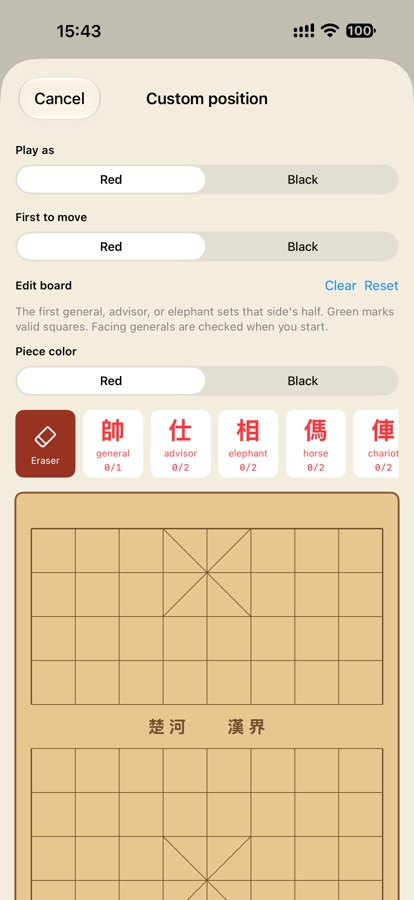
Place Red and Black pieces on the board, choose who moves first and start from a position you designed. Placement guides, piece counts and setup checks help you get it ready.
Custom Endgames · Offline AI
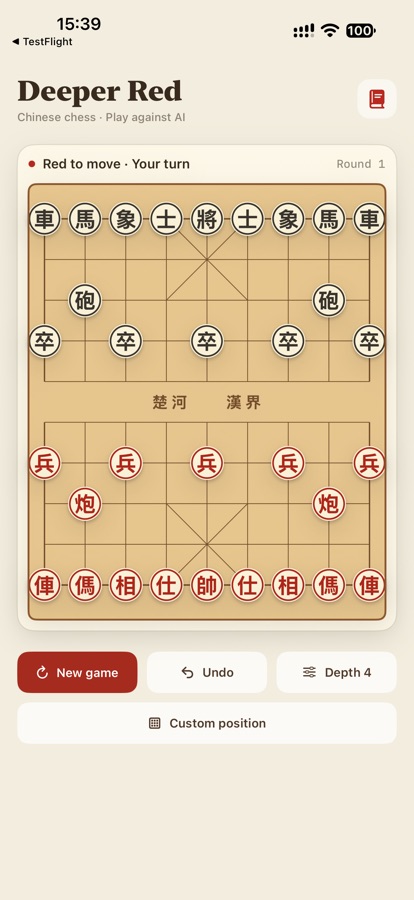
Deeper Red brings Chinese chess to iPhone and iPad. Start from the standard board or build your own endgame position. Place pieces, choose which side moves first, then play as Red or Black against an on-device AI. The match itself works offline.
Your match, your pace
Choose the standard opening or create a position of your own. The app handles legal moves, turn order and the AI response completely on your device.
Place Red and Black pieces on the board, choose who moves first and start from a position you designed. Placement guides, piece counts and setup checks help you get it ready.
Choose Red or Black against the on-device AI. Standard games always open with Red; if you choose Black, the AI makes the first move. The match itself works offline.
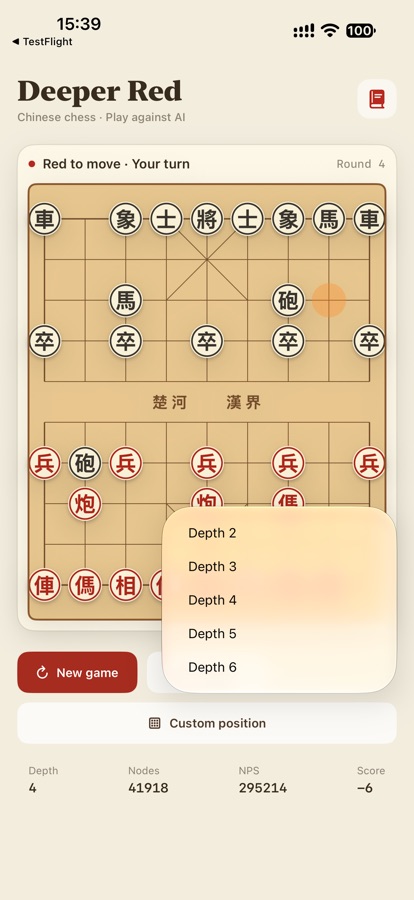
Choose an AI search depth from 2 to 6, undo a turn to try another line and hear each move spoken in Chinese notation.
A complete match
Useful controls stay close at hand from the opening move to the final checkmate.
Tap one of your pieces to reveal its legal destinations, then choose a square. The game shows whose turn it is as play continues.
Green placement markers show valid squares for the selected piece, the palette tracks remaining piece counts, and pre-start validation checks both generals and legal moves.
Set the on-device search depth between 2 and 6 to match your pace, and hear moves spoken aloud in traditional Chinese notation.
Use Undo when you want another look at a position, or start a new game for a fresh board.
Open the current game record to follow the sequence of moves. Share it as a TXT file if you want to keep a copy before starting again.
The app supports English, Simplified Chinese and Traditional Chinese interface text.

From the first move
Choose your starting position, take a side and challenge the AI.
Open a standard game or build a custom endgame by placing pieces and choosing who moves first.
Choose Red or Black, set the search depth and tap a piece to see its legal moves. The AI plays the other side.
Look back through the current match and export its move record as text when you want a copy.
Under the board
The search engine is a Swift package independent of the interface. It evaluates legal moves on a 90-square board without sending the position to a server.
Iterative deepening searches progressively farther ahead. Alpha-Beta pruning cuts branches that cannot improve the result, while principal variation search narrows later move checks.
An incremental hash identifies a board position after each make/undo move. The transposition table reuses evaluated positions reached by different move orders.
Promising captures are searched early to improve pruning. Quiescence search continues tactical capture sequences at the depth limit before scoring a position.
No account required
The developer does not run a game server that receives your moves. The app uses Google AdMob advertising; its privacy options appear when required. The Privacy Policy explains game records, sharing and advertising data.